
Policy management
Prove who read the policy.
Write, approve and publish your policies in one place, starting from templates, and see exactly who has acknowledged each one and when.
The problem
- Policies live in Word files and shared drives, and nobody is sure which version is current.
- Approvals happen over email, so it’s hard to show who signed off and when.
- When a county reviewer or an auditor asks who read the policy, the honest answer is “I think everyone did.”
How it works in PRIAM
From template to signed-off policy.
Step 1
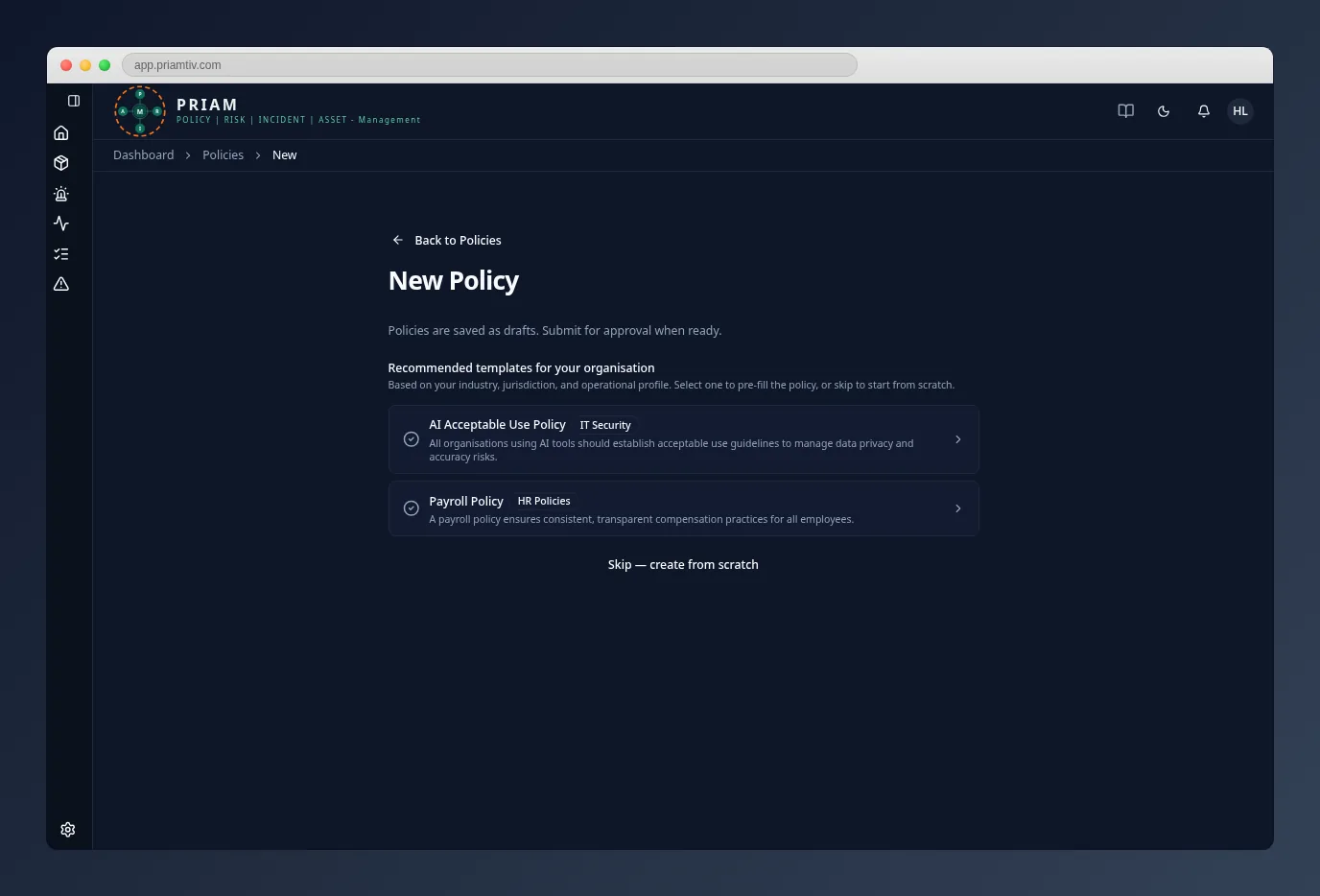
Start from a template
Pick from master policy templates recommended for your industry, jurisdiction and operating profile. PRIAM fills in your organization’s details, so you edit instead of starting from a blank page.
Step 2
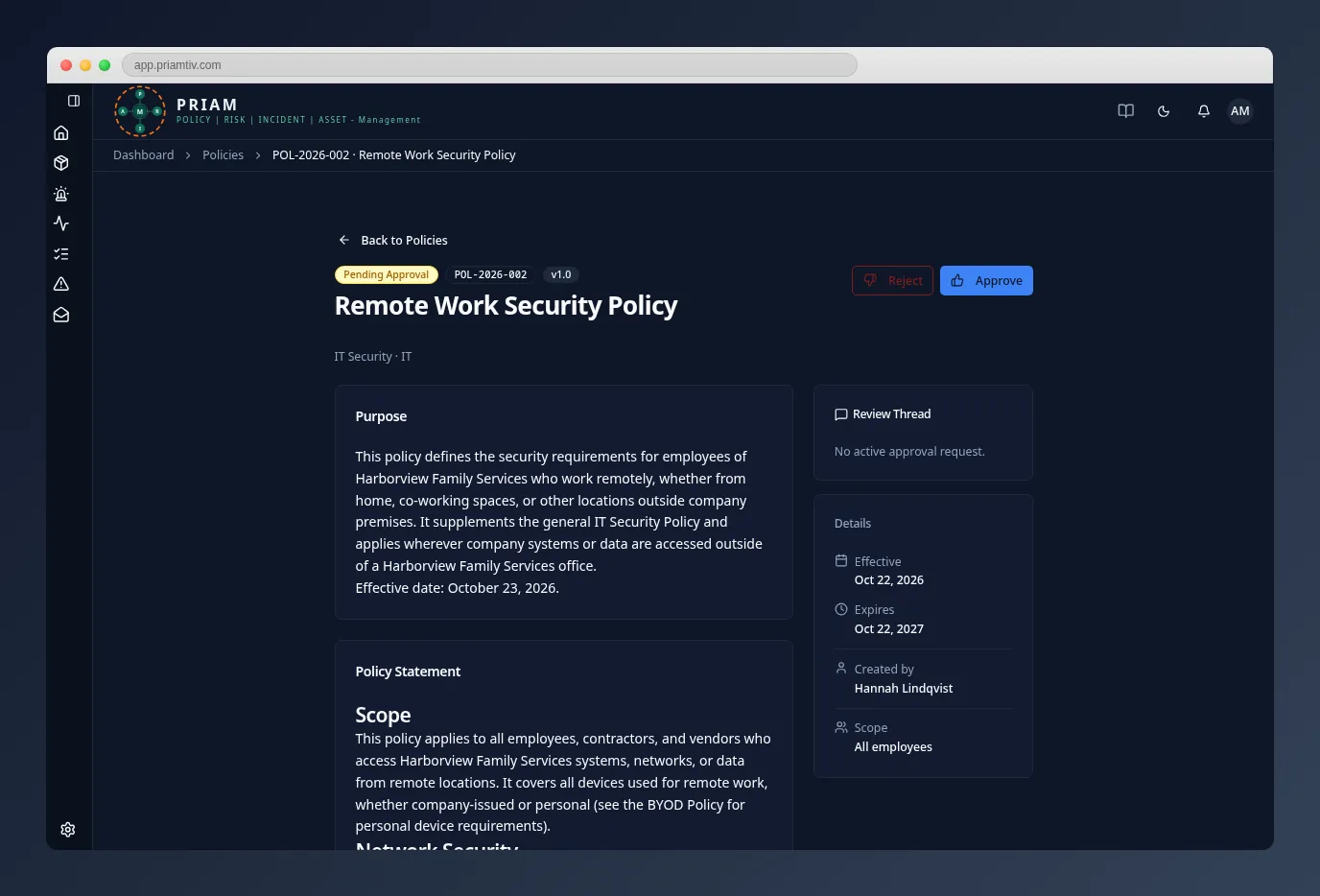
Review, approve, publish
A manager drafts the policy and submits it for approval. Reviewers discuss changes in the approval thread, and an administrator approves and publishes it. Every change and decision is recorded.
Step 3
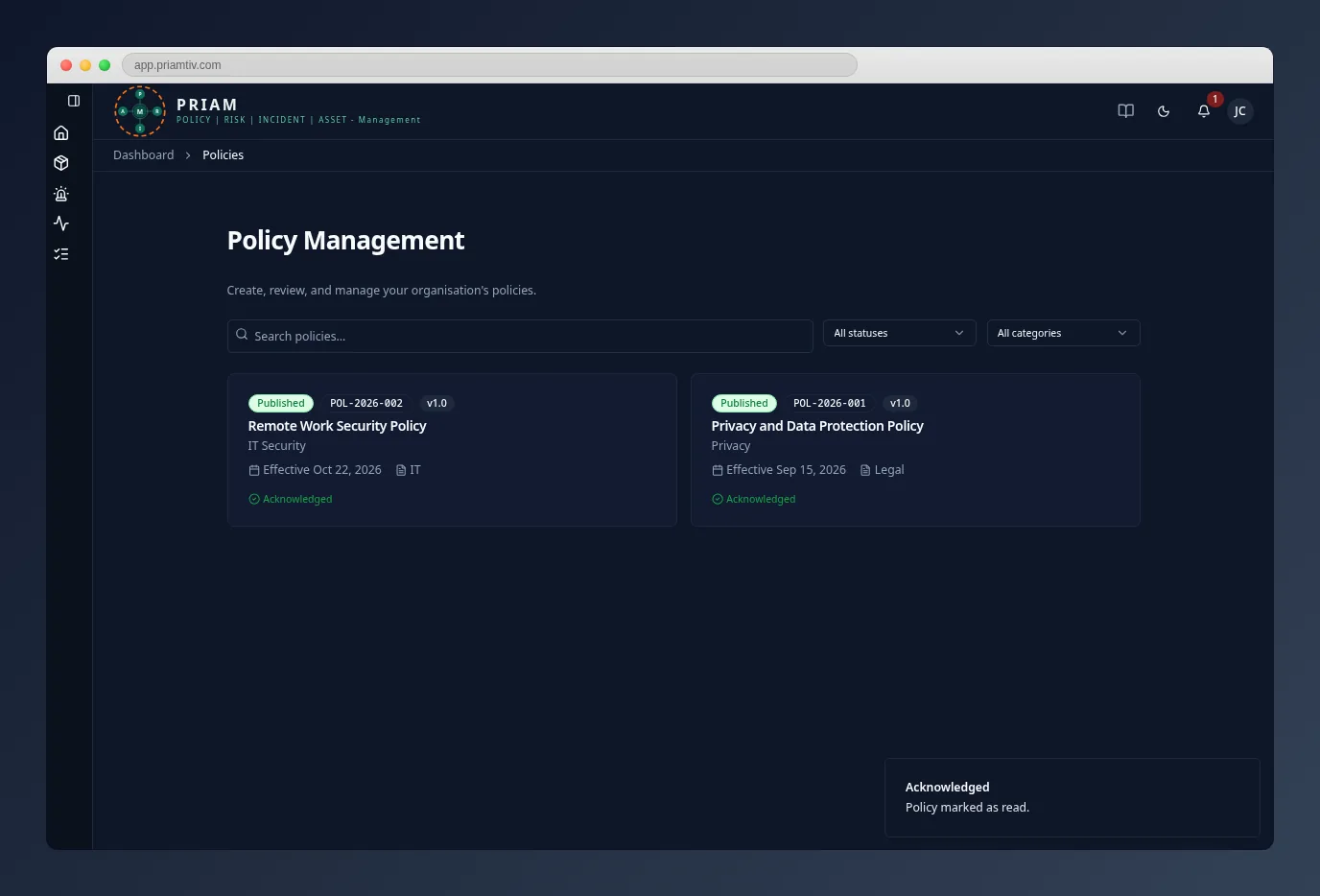
Staff acknowledge, and you have the proof
Employees read and acknowledge each published policy in PRIAM. You see who has acknowledged it, who hasn’t, and when. If a master template you used is updated, you’re told and can see what changed.
Who uses it
- Owners and administratorsApprove, publish and keep the policy library current.
- ManagersDraft policies from templates and submit them for approval.
- Every employeeReads and acknowledges published policies.
Questions
Do we have to use the templates?
No. Templates are a starting point. You can edit any template or create a policy from scratch.
What does an employee see?
Published policies appear in their Company Documents. They open each one and acknowledge it, and PRIAM records who acknowledged and when.
What happens when a template changes?
When a master template you used is updated, PRIAM notifies you. You can see the differences and accept or dismiss the update.
See your policies in PRIAM.
In a 30-minute walkthrough we’ll show the policy workflow on a sample organization and answer your questions.