
Incident management
Nothing stuck in an inbox.
One secure way to report, assign, investigate and close incidents, with a record of every change and reminders on the deadlines that matter.
The problem
- Incidents arrive by email or in a hallway conversation, and nobody is sure who owns them.
- Sensitive reports sit in shared inboxes where too many people can see them.
- Legal notification deadlines are tracked from memory.
How it works in PRIAM
From report to closed, on the record.
Step 1
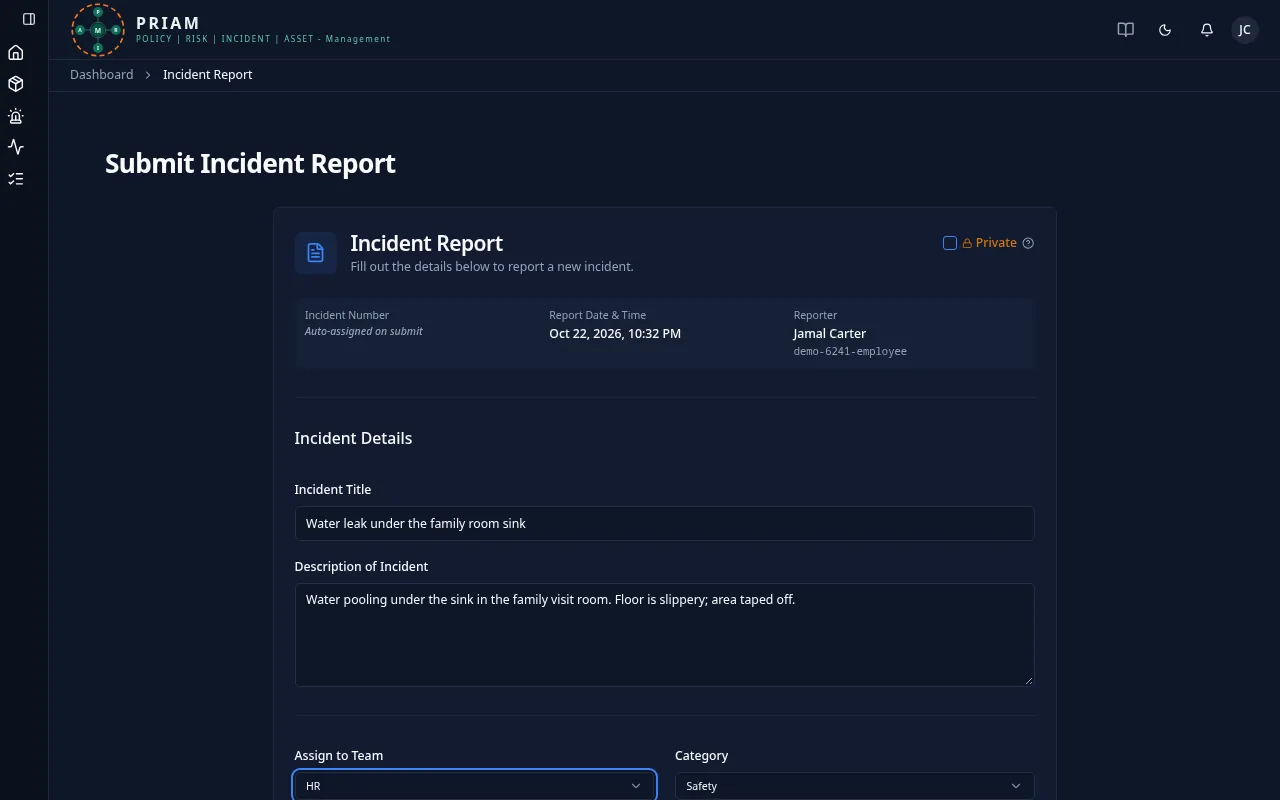
Anyone can report
Any employee reports an incident in one form, including HIPAA breaches and data-privacy events with the extra details they need. Sensitive matters can be marked private, so only the reporter and managers see them.
Step 2
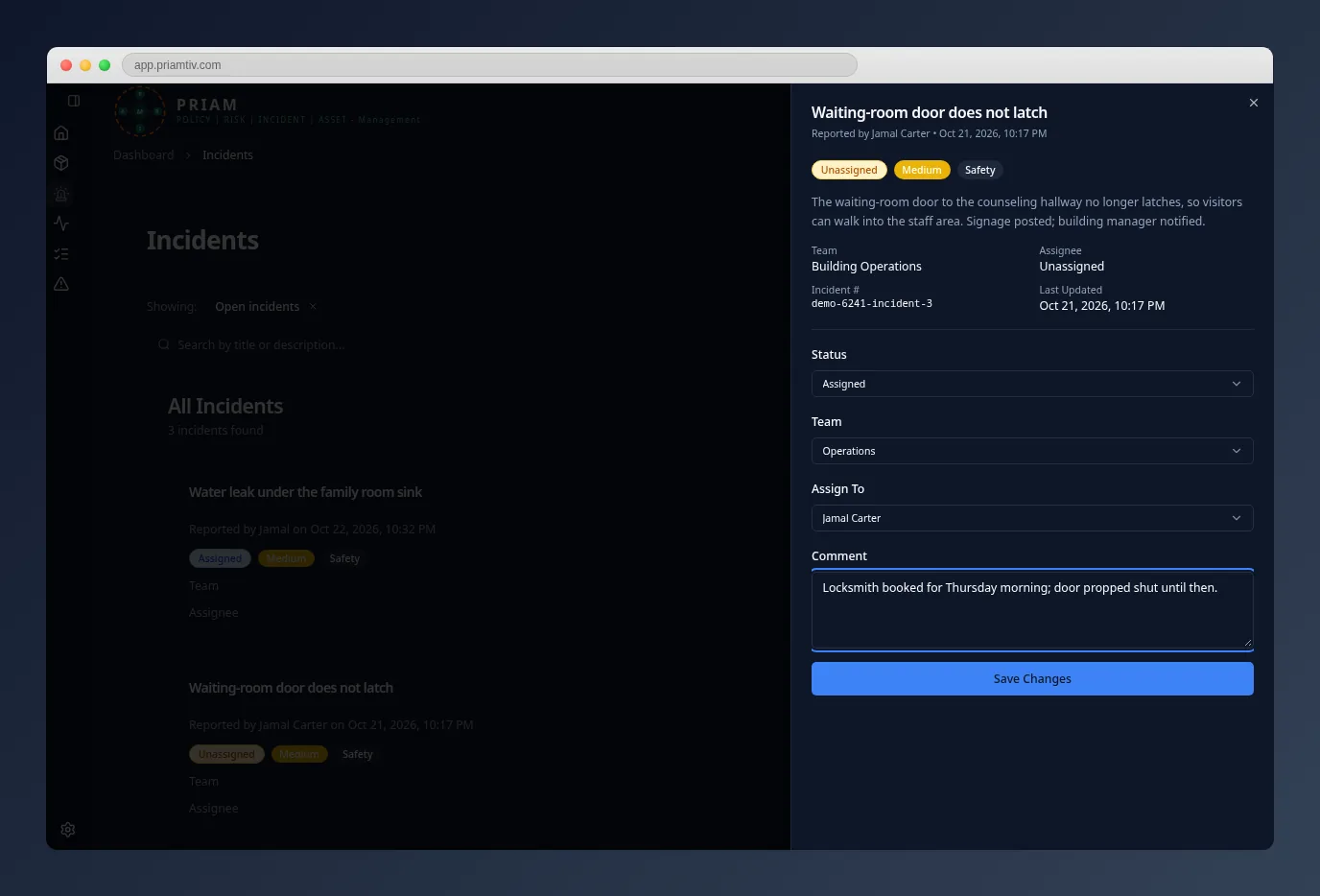
Triage and assign
Managers set the status, assign the incident to a team or a person, and add comments. Unassigned reports raise an alert, and assignees are notified by email and in the app. Every change records who did what and when, and the record can’t be rewritten.
Step 3
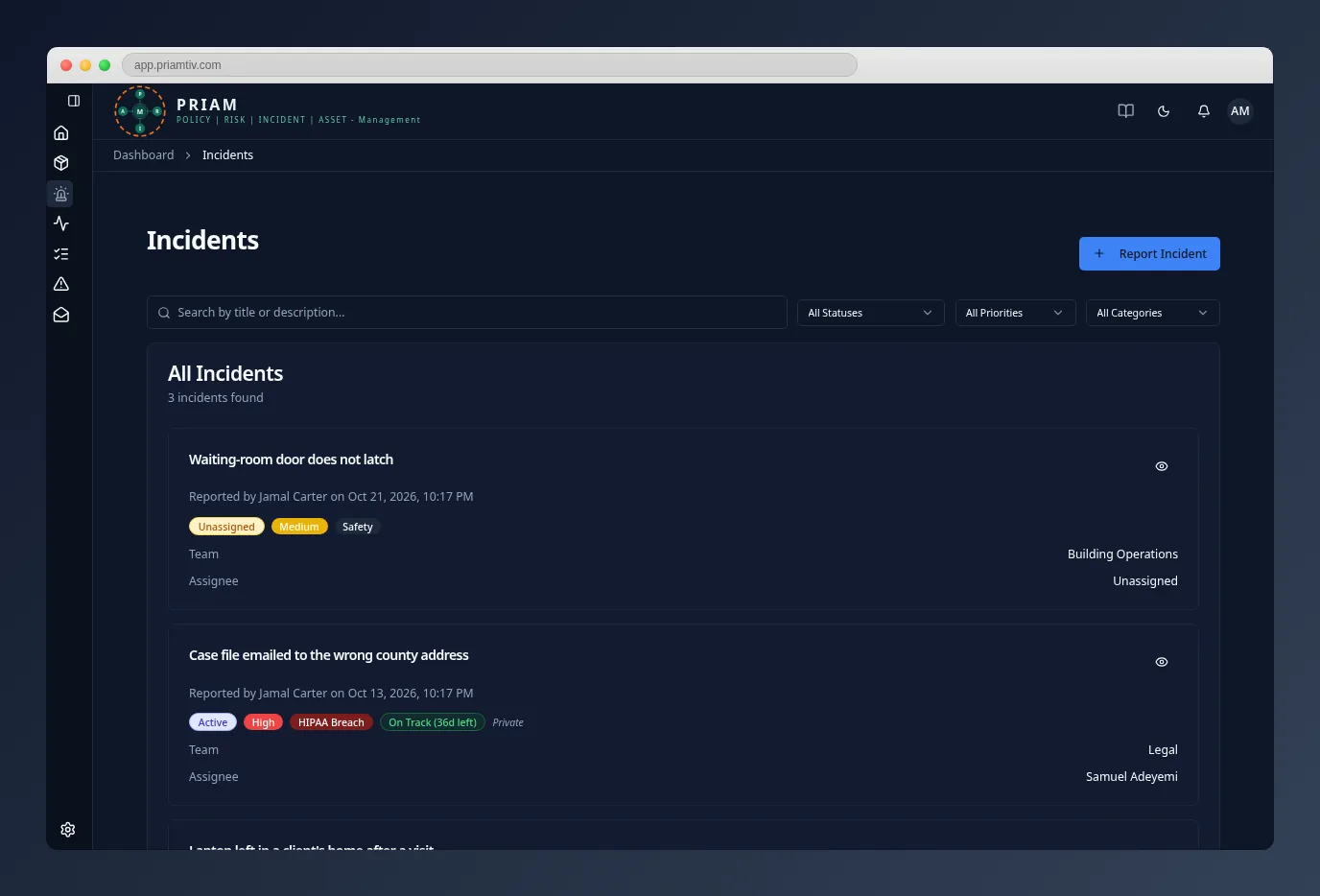
Deadlines tracked for you
A HIPAA breach incident shows its notification deadline and how much time is left, and administrators get reminders before it runs out. PRIAM tracks the deadline; what the law requires in each case stays your decision, with your advisers.
Who uses it
- EveryoneReports incidents and follows the ones they reported.
- Managers and administratorsTriage, assign, resolve and close incidents, including private ones.
- Owners and leadershipSee incidents across the organization and export them to PDF.
Questions
Who can see a private incident?
Only the person who reported it, and managers, administrators and owners.
What happens when an incident is resolved?
Resolved incidents close automatically, and the full history stays on the record.
Does PRIAM decide whether we have to notify anyone?
No. PRIAM tracks the notification deadline and reminds administrators. Whether and how to notify is your decision, with your privacy officer or legal adviser.
See the incident workflow in PRIAM.
In a 30-minute walkthrough we’ll show how an incident moves from report to closed on a sample organization.